The Elder Scrolls V: Skyrim invites you to become the Dragonborn in a stunning rendition of Tamriel, where your destiny unfolds across a colossal landscape. With a robust character creation system, you can tailor your hero to become a master warrior, clever mage, or stealthy assassin. Dive into a dynamic quest system, choosing your path while forging alliances with powerful factions and encountering captivating characters. Engage in relentless battles against ancient dragons and explore dungeons teeming with treasures, all while honing a multitude of unique spells and skills. The freedom to craft your adventure is limitless—will you shape the fate of Skyrim? Embark on your unforgettable journey today!
Download The Elder Scrolls V: Skyrim
See allThis is an unofficial port of The Elder Scrolls V: Skyrim for Android with touchscreen controls. Enjoy the game! Installation Instructions Download and install the Skyrim Android APK. Prepare…Read moreHide description
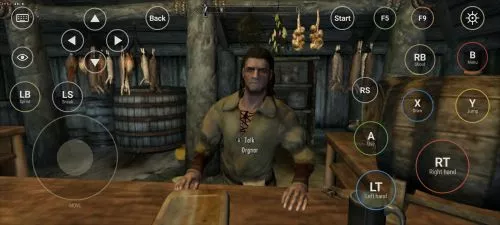
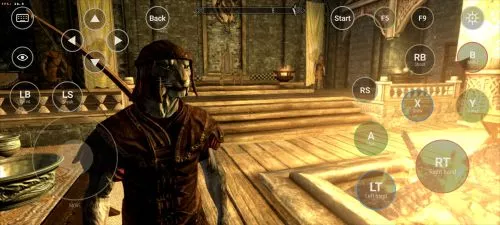
This is an unofficial port of The Elder Scrolls V: Skyrim for Android with touchscreen controls. Enjoy the game!
Installation Instructions
- Download and install the Skyrim Android APK.
- Prepare your original Skyrim (2011) PC game files, preferably Steam version 1.9.32.0.8.
- Make sure you have the following files:
TESV.exeTESV_unpacked.exed3dx9_42.dll(32-bit)binkw32.dllX3DAudio1_7.dll(32-bit)Datafolder
- Create a folder named Skyrim in your Android device’s internal storage and copy all the required files into it. Do not use the
Android/datadirectory. Keep your existing Skyrim folder and saves. Folder names and an APKVISION.ORG.txt information file no longer block launch in this fixed version. - Open the APK, tap Choose Skyrim folder, select your Skyrim folder, and grant the required permissions.
- Wait until the launcher verifies the files and displays Ready.
- For better performance, start with low graphics settings, 480p or 540p resolution, and antialiasing disabled.
- Tap Play to launch the game.
⚠️ Notes:
TESV_unpacked.exemust be prepared from a compatible original executable. The developer recommends Steamless for removing SteamStub protection.- The required DirectX DLL files can be obtained from Microsoft DirectX June 2010.
- On Android 11+, you may need to enable All files access permission.