The Elder Scrolls V: Skyrim zaprasza do zostania Dragonborn w oszałamiającej wersji Tamrielu, gdzie twoje przeznaczenie rozwija się na kolosalnym krajobrazie. Dzięki rozbudowanemu systemowi tworzenia postaci, możesz dostosować swojego bohatera do roli mistrza wojownika, pomysłowego maga lub skrytobójcy. Zanurz się w dynamiczny system zadań, wybierając swoją drogę, jednocześnie tworząc sojusze z potężnymi frakcjami i spotykając fascynujące postacie. Weź udział w nieustannych bitwach przeciwko pradawnym smokom i odkrywaj lochy pełne skarbów, jednocześnie udoskonalając szereg unikalnych zaklęć i umiejętności. Wolność w kształtowaniu swojej przygody jest nieograniczona — czy ukształtujesz los Skyrimu? Rozpocznij swoją niezapomnianą podróż już dziś!
Pobierz The Elder Scrolls V: Skyrim
Zobacz wszystkieThis is an unofficial port of The Elder Scrolls V: Skyrim for Android with touchscreen controls. Enjoy the game! Installation Instructions Download and install the Skyrim Android APK. Prepare…Czytaj dalejUkryj opis
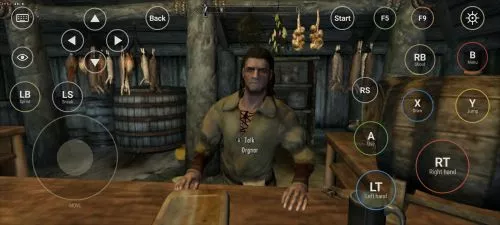
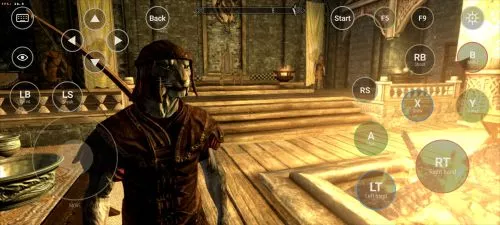
This is an unofficial port of The Elder Scrolls V: Skyrim for Android with touchscreen controls. Enjoy the game!
Installation Instructions
- Download and install the Skyrim Android APK.
- Prepare your original Skyrim (2011) PC game files, preferably Steam version 1.9.32.0.8.
- Make sure you have the following files:
TESV.exeTESV_unpacked.exed3dx9_42.dll(32-bit)binkw32.dllX3DAudio1_7.dll(32-bit)Datafolder
- Create a folder named Skyrim in your Android device’s internal storage and copy all the required files into it. Do not use the
Android/datadirectory. Keep your existing Skyrim folder and saves. Folder names and an APKVISION.ORG.txt information file no longer block launch in this fixed version. - Open the APK, tap Choose Skyrim folder, select your Skyrim folder, and grant the required permissions.
- Wait until the launcher verifies the files and displays Ready.
- For better performance, start with low graphics settings, 480p or 540p resolution, and antialiasing disabled.
- Tap Play to launch the game.
⚠️ Notes:
TESV_unpacked.exemust be prepared from a compatible original executable. The developer recommends Steamless for removing SteamStub protection.- The required DirectX DLL files can be obtained from Microsoft DirectX June 2010.
- On Android 11+, you may need to enable All files access permission.