The Elder Scrolls V: Skyrim ti invita a diventare il Dragonborn in una straordinaria reinterpretazione di Tamriel, dove il tuo destino si svela attraverso un paesaggio colossale. Grazie a un robusto sistema di creazione del personaggio, puoi personalizzare il tuo eroe per diventare un potente guerriero, un astuto mago o un furtivo assassino. Immergiti in un sistema di missioni dinamico, scegliendo il tuo cammino mentre forgia alleanze con potenti fazioni e incontri personaggi affascinanti. Partecipa a battaglie incessanti contro antichi draghi ed esplora dungeon brulicanti di tesori, il tutto mentre perfezioni una moltitudine di incantesimi e abilità uniche. La libertà di plasmare la tua avventura è illimitata: modellerai il destino di Skyrim? Inizia oggi il tuo viaggio indimenticabile!
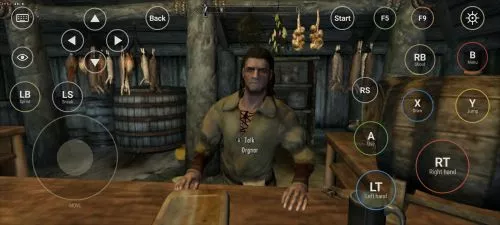
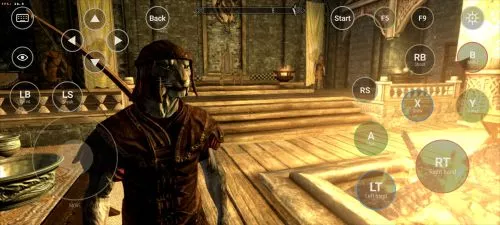
Scarica The Elder Scrolls V: Skyrim
Vedi tuttoThis is an unofficial port of The Elder Scrolls V: Skyrim for Android with touchscreen controls. Enjoy the game! Installation Instructions Download and install the Skyrim Android APK. Prepare…Leggi di piùNascondi descrizione
This is an unofficial port of The Elder Scrolls V: Skyrim for Android with touchscreen controls. Enjoy the game!
Installation Instructions
- Download and install the Skyrim Android APK.
- Prepare your original Skyrim (2011) PC game files, preferably Steam version 1.9.32.0.8.
- Make sure you have the following files:
TESV.exeTESV_unpacked.exed3dx9_42.dll(32-bit)binkw32.dllX3DAudio1_7.dll(32-bit)Datafolder
- Create a folder named Skyrim in your Android device’s internal storage and copy all the required files into it. Do not use the
Android/datadirectory. Keep your existing Skyrim folder and saves. Folder names and an APKVISION.ORG.txt information file no longer block launch in this fixed version. - Open the APK, tap Choose Skyrim folder, select your Skyrim folder, and grant the required permissions.
- Wait until the launcher verifies the files and displays Ready.
- For better performance, start with low graphics settings, 480p or 540p resolution, and antialiasing disabled.
- Tap Play to launch the game.
⚠️ Notes:
TESV_unpacked.exemust be prepared from a compatible original executable. The developer recommends Steamless for removing SteamStub protection.- The required DirectX DLL files can be obtained from Microsoft DirectX June 2010.
- On Android 11+, you may need to enable All files access permission.