The Elder Scrolls V: Skyrim convida você a se tornar o Dragonborn em uma impressionante representação de Tamriel, onde seu destino se desenrola em uma paisagem colossal. Com um robusto sistema de criação de personagens, você pode moldar seu herói para se tornar um mestre guerreiro, um mago astuto ou um assassino furtivo. Mergulhe em um sistema de missões dinâmico, escolhendo seu caminho enquanto forja alianças com poderosas facções e encontra personagens cativantes. Envolva-se em batalhas incansáveis contra dragões antigos e explore masmorras repletas de tesouros, tudo enquanto aprimora uma infinidade de feitiços e habilidades únicas. A liberdade de criar sua aventura é ilimitada—você moldará o destino de Skyrim? Embarque em sua jornada inesquecível hoje mesmo!
Baixar The Elder Scrolls V: Skyrim
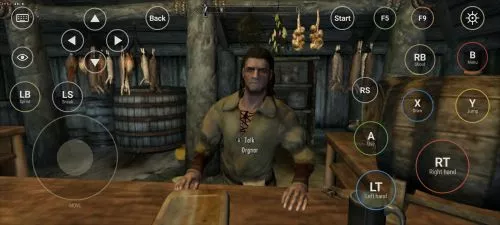
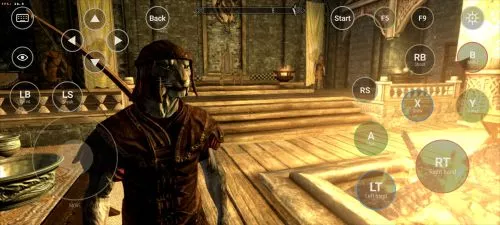
Ver todosThis is an unofficial port of The Elder Scrolls V: Skyrim for Android with touchscreen controls. Enjoy the game! Installation Instructions Download and install the Skyrim Android APK. Prepare…Leia maisOcultar descrição
This is an unofficial port of The Elder Scrolls V: Skyrim for Android with touchscreen controls. Enjoy the game!
Installation Instructions
- Download and install the Skyrim Android APK.
- Prepare your original Skyrim (2011) PC game files, preferably Steam version 1.9.32.0.8.
- Make sure you have the following files:
TESV.exeTESV_unpacked.exed3dx9_42.dll(32-bit)binkw32.dllX3DAudio1_7.dll(32-bit)Datafolder
- Create a folder named Skyrim in your Android device’s internal storage and copy all the required files into it. Do not use the
Android/datadirectory. Keep your existing Skyrim folder and saves. Folder names and an APKVISION.ORG.txt information file no longer block launch in this fixed version. - Open the APK, tap Choose Skyrim folder, select your Skyrim folder, and grant the required permissions.
- Wait until the launcher verifies the files and displays Ready.
- For better performance, start with low graphics settings, 480p or 540p resolution, and antialiasing disabled.
- Tap Play to launch the game.
⚠️ Notes:
TESV_unpacked.exemust be prepared from a compatible original executable. The developer recommends Steamless for removing SteamStub protection.- The required DirectX DLL files can be obtained from Microsoft DirectX June 2010.
- On Android 11+, you may need to enable All files access permission.