The Elder Scrolls V: Skyrim 邀请你化身为龙裔,踏入壮丽的塔美瑞尔世界,你的命运将在广袤的土地上展开。借助强大的角色创建系统,你可以自定义你的英雄,成为一名无敌的战士、聪明的法师或隐秘的刺客。投身于动态任务系统,在选择道路的同时与强大的派系结盟,邂逅迷人的角色。与古老的龙展开无尽的战斗,探索充满宝藏的地下城,同时磨练多种独特的魔法和技能。你可以自由塑造自己的冒险旅程——你会改变天际的命运吗?今天就开始你的难忘旅程吧!
下载 The Elder Scrolls V: Skyrim
查看全部This is an unofficial port of The Elder Scrolls V: Skyrim for Android with touchscreen controls. Enjoy the game! Installation Instructions Download and install the Skyrim Android APK. Prepare…阅读全文收起简介
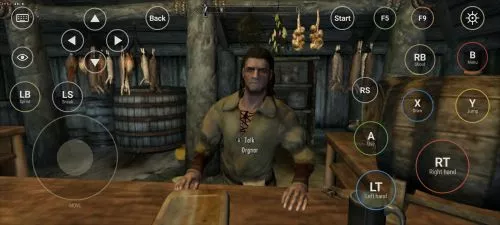
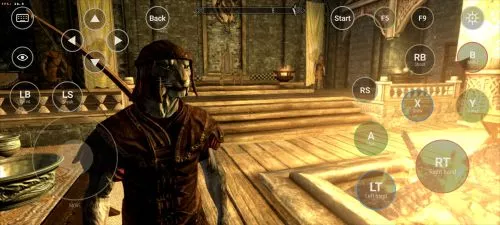
This is an unofficial port of The Elder Scrolls V: Skyrim for Android with touchscreen controls. Enjoy the game!
Installation Instructions
- Download and install the Skyrim Android APK.
- Prepare your original Skyrim (2011) PC game files, preferably Steam version 1.9.32.0.8.
- Make sure you have the following files:
TESV.exeTESV_unpacked.exed3dx9_42.dll(32-bit)binkw32.dllX3DAudio1_7.dll(32-bit)Datafolder
- Create a folder named Skyrim in your Android device’s internal storage and copy all the required files into it. Do not use the
Android/datadirectory. Keep your existing Skyrim folder and saves. Folder names and an APKVISION.ORG.txt information file no longer block launch in this fixed version. - Open the APK, tap Choose Skyrim folder, select your Skyrim folder, and grant the required permissions.
- Wait until the launcher verifies the files and displays Ready.
- For better performance, start with low graphics settings, 480p or 540p resolution, and antialiasing disabled.
- Tap Play to launch the game.
⚠️ Notes:
TESV_unpacked.exemust be prepared from a compatible original executable. The developer recommends Steamless for removing SteamStub protection.- The required DirectX DLL files can be obtained from Microsoft DirectX June 2010.
- On Android 11+, you may need to enable All files access permission.
arm64-v8a
0 评论