The Elder Scrolls V: Skyrimは、美しいタムリエルの世界でドラゴンボーンとなるあなたを招待します。広大なランドスケープの中で、あなたの運命が展開していきます。強力なキャラクター作成システムにより、あなたのヒーローはマスターワリアー、賢い魔法使い、あるいは隠密の暗殺者としてカスタマイズ可能です。ダイナミックなクエストシステムに飛び込み、強力な勢力との同盟を築き、魅力的なキャラクターとの出会いを楽しみながら、自分だけの道を選んでください。古代のドラゴンとの果てしない戦いに挑み、宝物で溢れたダンジョンを探索しながら、様々なユニークな呪文やスキルを磨きましょう。あなたの冒険を形作る自由は無限大です—あなたはスカイリムの運命をどのように変えますか?今すぐ、忘れられない旅に出発しましょう!
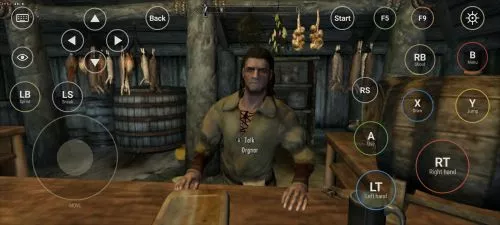
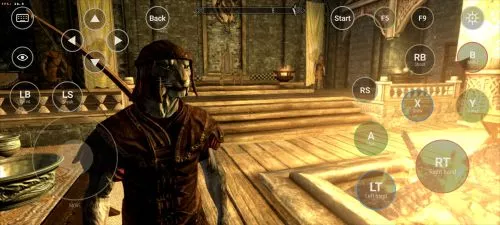
ダウンロード The Elder Scrolls V: Skyrim
すべてを見るThis is an unofficial port of The Elder Scrolls V: Skyrim for Android with touchscreen controls. Enjoy the game! Installation Instructions Download and install the Skyrim Android APK. Prepare…もっと読む説明を隠す
This is an unofficial port of The Elder Scrolls V: Skyrim for Android with touchscreen controls. Enjoy the game!
Installation Instructions
- Download and install the Skyrim Android APK.
- Prepare your original Skyrim (2011) PC game files, preferably Steam version 1.9.32.0.8.
- Make sure you have the following files:
TESV.exeTESV_unpacked.exed3dx9_42.dll(32-bit)binkw32.dllX3DAudio1_7.dll(32-bit)Datafolder
- Create a folder named Skyrim in your Android device’s internal storage and copy all the required files into it. Do not use the
Android/datadirectory. Keep your existing Skyrim folder and saves. Folder names and an APKVISION.ORG.txt information file no longer block launch in this fixed version. - Open the APK, tap Choose Skyrim folder, select your Skyrim folder, and grant the required permissions.
- Wait until the launcher verifies the files and displays Ready.
- For better performance, start with low graphics settings, 480p or 540p resolution, and antialiasing disabled.
- Tap Play to launch the game.
⚠️ Notes:
TESV_unpacked.exemust be prepared from a compatible original executable. The developer recommends Steamless for removing SteamStub protection.- The required DirectX DLL files can be obtained from Microsoft DirectX June 2010.
- On Android 11+, you may need to enable All files access permission.
arm64-v8a
0 コメント