The Elder Scrolls V: Skyrim आपको ड्रैगनबॉर्न बनने के लिए आमंत्रित करता है, जहां तम्रियल की शानदार प्रस्तुति में आपका भाग्य एक विशाल परिदृश्य में खुलता है। एक मजबूत पात्र निर्माण प्रणाली के साथ, आप अपने नायक को एक मास्टर योद्धा, चतुर जादूगर या गुप्त हत्यारे के रूप में तैयार कर सकते हैं। एक गतिशील quest प्रणाली में डुबकी लगाएं, अपने मार्ग का चयन करें, शक्तिशाली गुटों के साथ गठबंधन बनाएं और आकर्षक पात्रों से मिलें। प्राचीन ड्रैगनों के खिलाफ निरंतर लड़ाइयों में हिस्सा लें और खजाने से भरे डंजन्स का अन्वेषण करें, जबकि आप कई अद्वितीय जादू और कौशल को विकसित करते हैं। अपने साहसिक कार्य को बनाने की स्वतंत्रता असीमित है—क्या आप Skyrim का भाग्य आकार देंगे? आज ही अपनी अविस्मरणीय यात्रा पर कदम रखें!
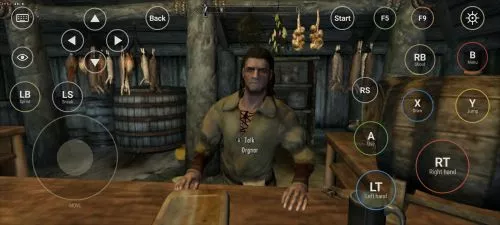
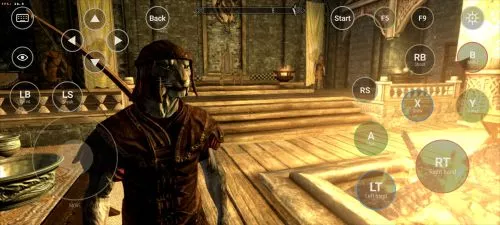
डाउनलोड करें The Elder Scrolls V: Skyrim
सभी देखेंThis is an unofficial port of The Elder Scrolls V: Skyrim for Android with touchscreen controls. Enjoy the game! Installation Instructions Download and install the Skyrim Android APK. Prepare…अधिक पढ़ेंविवरण छिपाएं
This is an unofficial port of The Elder Scrolls V: Skyrim for Android with touchscreen controls. Enjoy the game!
Installation Instructions
- Download and install the Skyrim Android APK.
- Prepare your original Skyrim (2011) PC game files, preferably Steam version 1.9.32.0.8.
- Make sure you have the following files:
TESV.exeTESV_unpacked.exed3dx9_42.dll(32-bit)binkw32.dllX3DAudio1_7.dll(32-bit)Datafolder
- Create a folder named Skyrim in your Android device’s internal storage and copy all the required files into it. Do not use the
Android/datadirectory. Keep your existing Skyrim folder and saves. Folder names and an APKVISION.ORG.txt information file no longer block launch in this fixed version. - Open the APK, tap Choose Skyrim folder, select your Skyrim folder, and grant the required permissions.
- Wait until the launcher verifies the files and displays Ready.
- For better performance, start with low graphics settings, 480p or 540p resolution, and antialiasing disabled.
- Tap Play to launch the game.
⚠️ Notes:
TESV_unpacked.exemust be prepared from a compatible original executable. The developer recommends Steamless for removing SteamStub protection.- The required DirectX DLL files can be obtained from Microsoft DirectX June 2010.
- On Android 11+, you may need to enable All files access permission.