The Elder Scrolls V: Skyrim mời bạn trở thành Dragonborn trong một phiên bản tuyệt mỹ của Tamriel, nơi vận mệnh của bạn diễn ra trên một khung cảnh đồ sộ. Với hệ thống tạo nhân vật phong phú, bạn có thể tùy chỉnh anh hùng của mình để trở thành một chiến binh vĩ đại, pháp sư thông minh, hoặc sát thủ stealth. Hãy đắm chìm vào hệ thống nhiệm vụ năng động, chọn con đường của mình trong khi xây dựng các mối quan hệ với những faction mạnh mẽ và gặp gỡ những nhân vật cuốn hút. Tham gia vào những trận chiến không ngừng nghỉ chống lại những con rồng cổ đại và khám phá các ngục tối đầy rẫy kho báu, trong khi bạn trau dồi một loạt phép thuật và kỹ năng độc đáo. Tự do để tạo ra cuộc phiêu lưu của bạn là không giới hạn—bạn sẽ định hình số phận của Skyrim như thế nào? Hãy bắt đầu hành trình không thể nào quên của bạn ngay hôm nay!
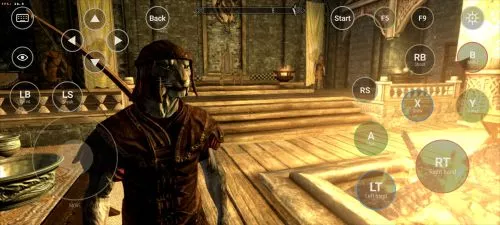
Tải về The Elder Scrolls V: Skyrim
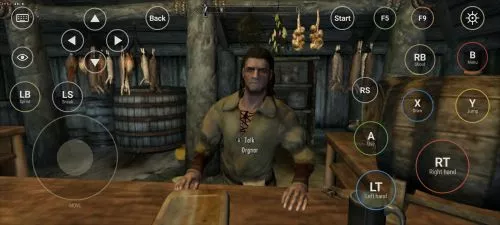
Xem tất cảThis is an unofficial port of The Elder Scrolls V: Skyrim for Android with touchscreen controls. Enjoy the game! Installation Instructions Download and install the Skyrim Android APK. Prepare…Đọc thêmẨn mô tả
This is an unofficial port of The Elder Scrolls V: Skyrim for Android with touchscreen controls. Enjoy the game!
Installation Instructions
- Download and install the Skyrim Android APK.
- Prepare your original Skyrim (2011) PC game files, preferably Steam version 1.9.32.0.8.
- Make sure you have the following files:
TESV.exeTESV_unpacked.exed3dx9_42.dll(32-bit)binkw32.dllX3DAudio1_7.dll(32-bit)Datafolder
- Create a folder named Skyrim in your Android device’s internal storage and copy all the required files into it. Do not use the
Android/datadirectory. Keep your existing Skyrim folder and saves. Folder names and an APKVISION.ORG.txt information file no longer block launch in this fixed version. - Open the APK, tap Choose Skyrim folder, select your Skyrim folder, and grant the required permissions.
- Wait until the launcher verifies the files and displays Ready.
- For better performance, start with low graphics settings, 480p or 540p resolution, and antialiasing disabled.
- Tap Play to launch the game.
⚠️ Notes:
TESV_unpacked.exemust be prepared from a compatible original executable. The developer recommends Steamless for removing SteamStub protection.- The required DirectX DLL files can be obtained from Microsoft DirectX June 2010.
- On Android 11+, you may need to enable All files access permission.