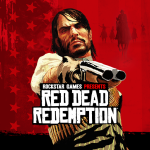
Red Dead Redemption는 구속을 찾는 전직 범죄자 존 마스턴의 스릴 넘치는 서사에 몰입할 것을 초대합니다. 거친 미국 서부부터 화려한 멕시코 평원까지, 법과 혼돈의 경계가 흐릿해지는 액션 가득한 임무를 수행하며 아름다운 풍경을 탐험하세요. 두 가지 매력적인 서사를 경험해 보세요. 각각은 강렬한 만남과 잊을 수 없는 캐릭터들로 가득 차 있습니다. 게다가, 생존이 좀비 떼에 맞서야 하는 오싹한 언데드 나이트메어 확장팩도 포함되어 있습니다! 완전한 싱글 플레이 접근성과 올해의 게임 에디션의 독점 보너스 콘텐츠로 모든 여정은 끝없는 전율을 약속합니다. 여러분의 유산을 재정의할 준비가 되셨나요?


다운로드 Red Dead Redemption
모두 보기1 (녹색 버튼) – Rockstar 게임의 원본 바닐라 버전입니다. 2 (빨간 버튼) – 그래픽 설정이 해제된 모드 버전(FPS 30/40/60) — 강력한 장치용입니다. 두 버전 모두 Documents Provider 인터페이스를…더 읽기설명 숨기기
1 (녹색 버튼) – Rockstar 게임의 원본 바닐라 버전입니다.
2 (빨간 버튼) – 그래픽 설정이 해제된 모드 버전(FPS 30/40/60) — 강력한 장치용입니다.
두 버전 모두 Documents Provider 인터페이스를 포함하여 MT Manager와 같은 파일 관리자를 통해 게임의 데이터 폴더에 접근할 수 있습니다 — 루트 권한이 필요하지 않습니다.
게임을 설치하려면 APKVision Store, ZArchiver, XAPKS Installer, 또는 SAI (Split APKs Installer)를 사용하세요.
Note: After updating, you may see a black screen on the first launch. This is a one-time effect from our optimization that significantly reduced the game’s installed size—it’s…더 읽기설명 숨기기
Note: After updating, you may see a black screen on the first launch. This is a one-time effect from our optimization that significantly reduced the game’s installed size—it’s not a bug! Your saves and all progress are safe. Just restart the game, and it’ll work perfectly afterward.
1 (green button) – Original vanilla version of the Rockstar game.
2 (red button) – Modded version with unlocked graphics settings (FPS 30/40/60) — for powerful devices.
Both versions include the Documents Provider interface, allowing access to the game’s data folder through file managers like MT Manager — no root needed.
Install the game using ZArchiver, XAPKS Installer, or SAI (Split APKs Installer).